How it works.
From setting up the events to printing the award labels, here is one season in Brakken, all in your own Salesforce org.
A season, start to finish.
- 1
Set up from a template
Standard events for six sports. Set your rules once for the sport, then change any tournament or event.
- 2
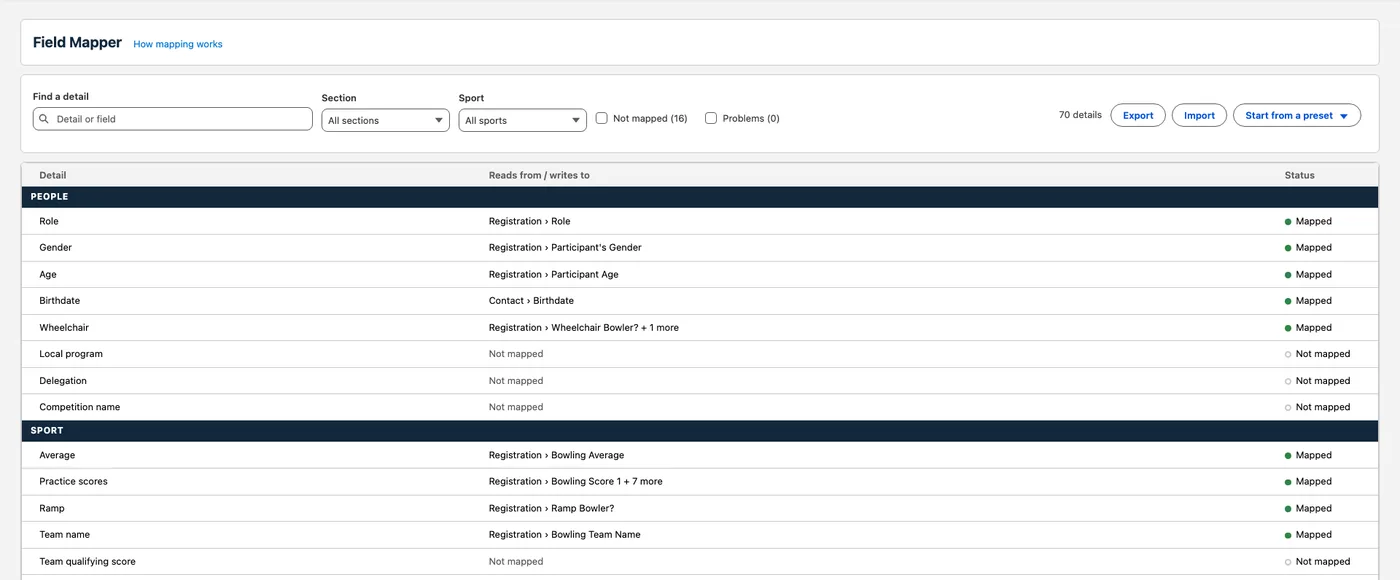
Registrations in
Brakken reads registrations from your own fields. Your Salesforce admin points it there on one mapping screen, with no code.
- 3
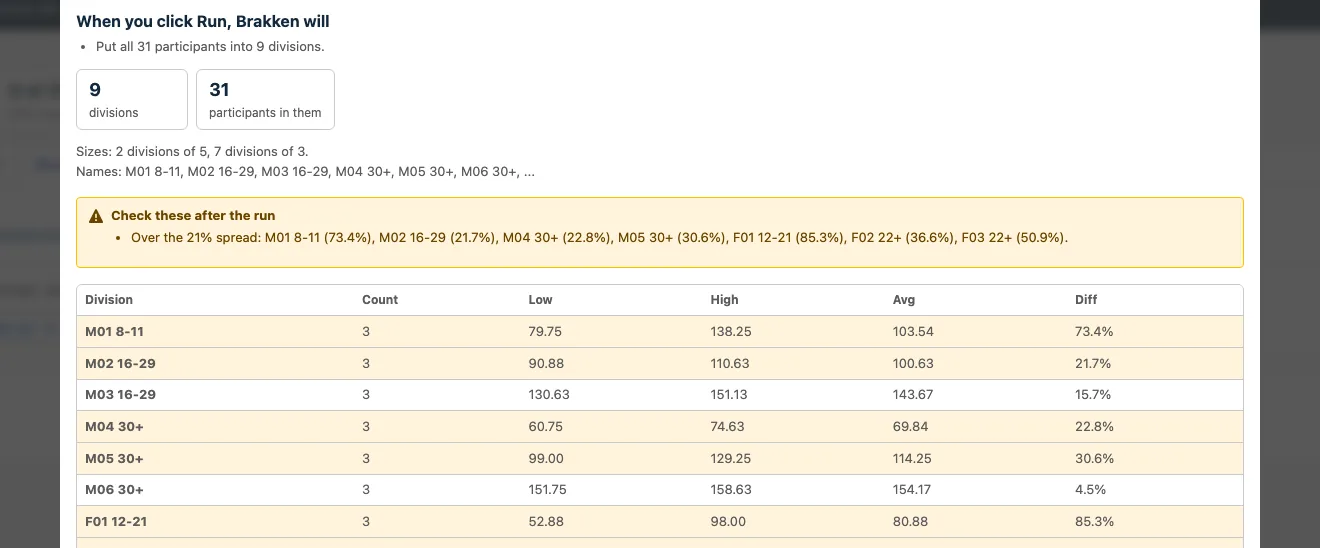
Divisions that explain themselves
Before anything saves, Brakken shows you the pending changes and which divisions to review.
- 4
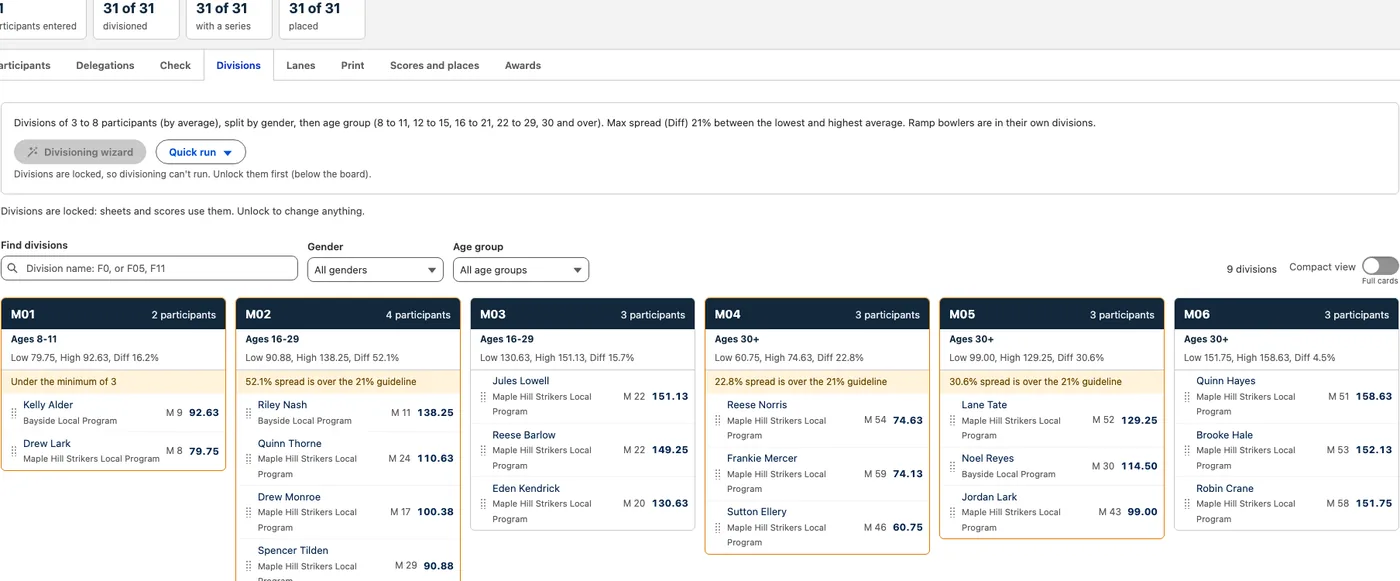
Adjust by dragging
Drag someone to another division. Undo, save a checkpoint, then lock for printing.
- 5
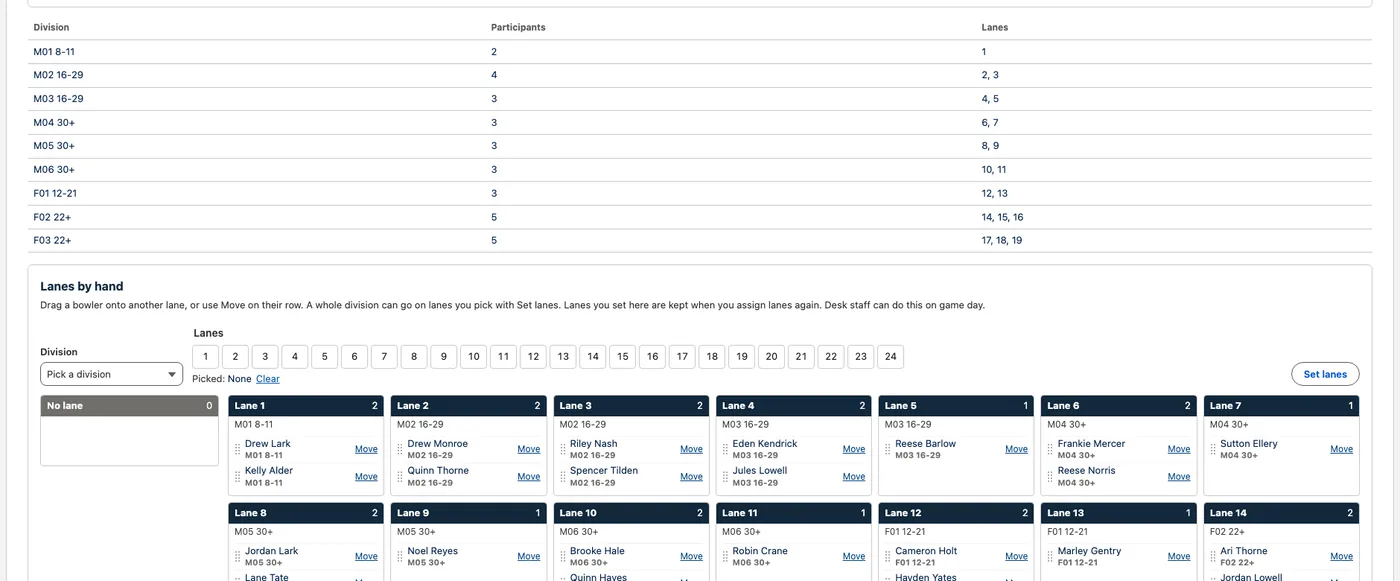
Heats and lanes
Set up bowling lanes, shifts and handicaps. Build swim and track heats, relays and prelims.
- 6
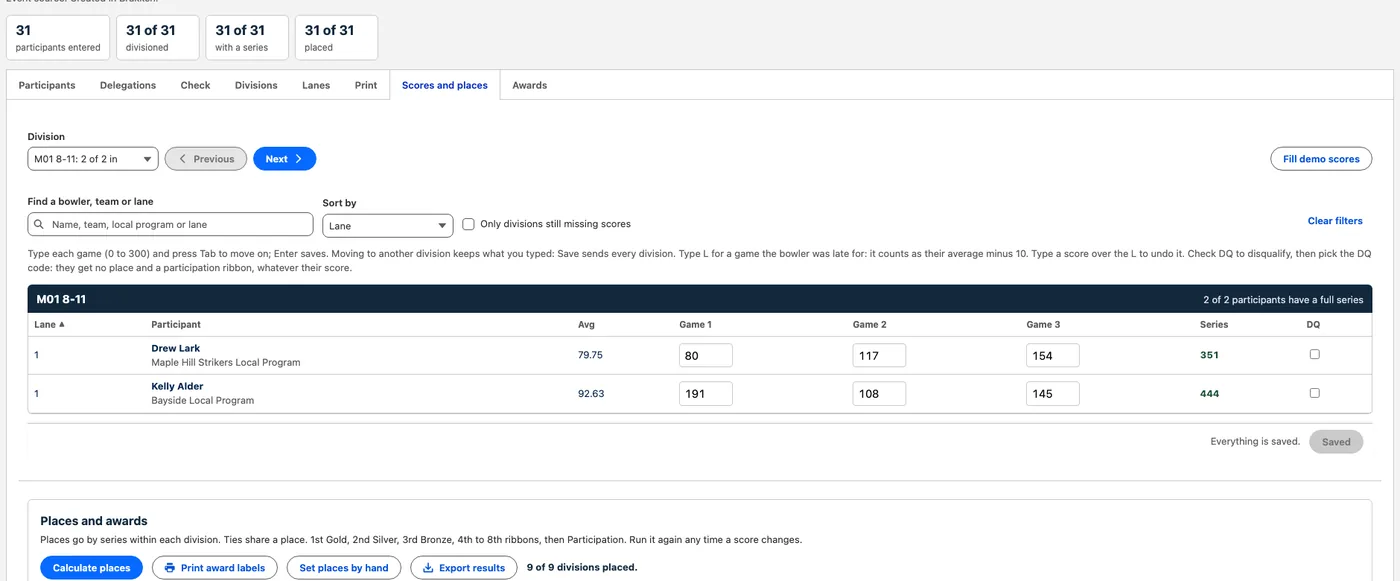
Results and places
Type the scores once. Places, awards and advancing to State follow.
- 7
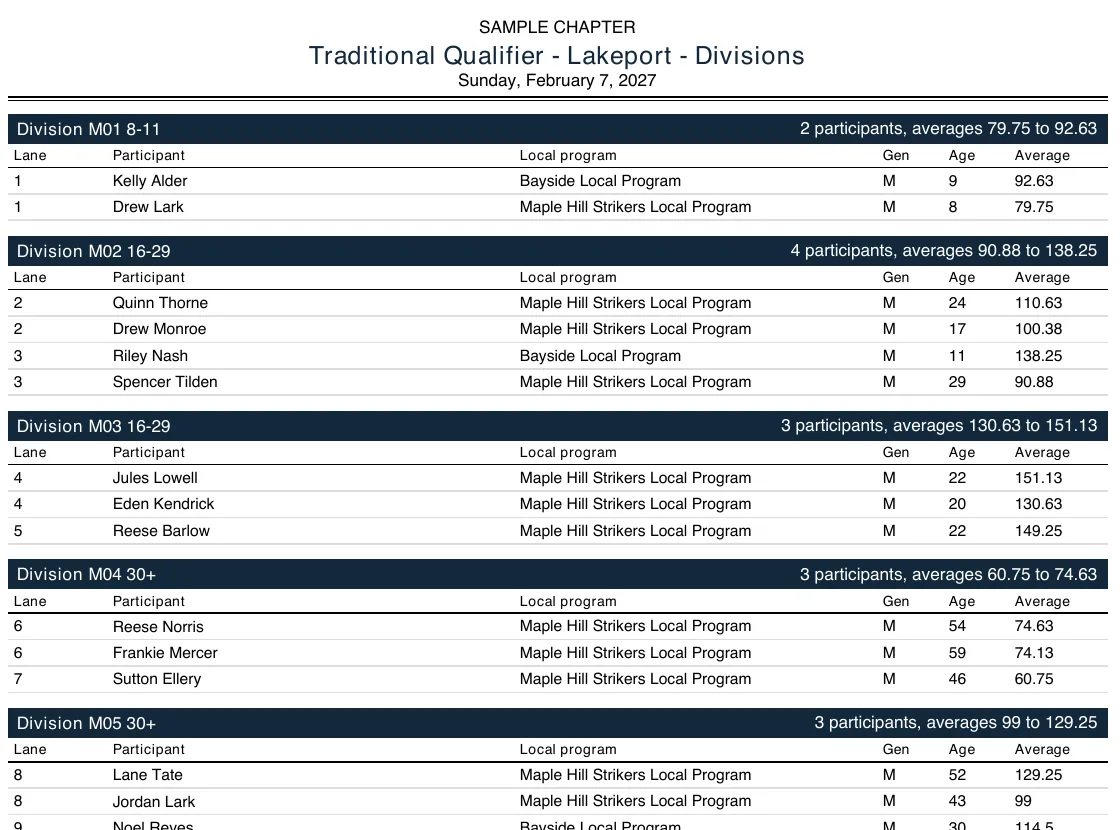
Printouts
Division, score and results sheets, rosters, name tags and award labels, with your chapter’s name.
Next step: a call.
We talk through your setup, one chapter at a time. If it fits, a pilot in your sandbox on one of your past events. Your live org stays as it is until you decide.